
A DStv hard drive failure turns your Explora or HD PVR from a full entertainment hub into a frustrating box that can barely play live TV — recordings vanish, error codes appear, and in Cape Town where load-shedding is a daily reality, this fault is far more preventable than most subscribers realise.
Key Takeaways
- DStv Explora and HD PVR decoders store all recordings on an internal 2.5-inch SATA hard drive — when it fails, recording, playback, and sometimes the decoder’s entire boot sequence stop working.
- Load-shedding is the primary cause of hard drive corruption in Cape Town; abrupt power loss during a write operation can leave the file system permanently damaged.
- Grinding, clicking, or scraping sounds from the decoder are early warning signs of physical hard drive failure — act on them before the drive seizes completely.
- Error codes such as E18-4 and generic PVR storage errors indicate the decoder’s firmware cannot communicate with or initialise the internal drive.
- Recordings on a failed drive are generally unrecoverable without specialist data-recovery services costing R2 500–R6 000.
- A R200–R400 UPS or surge protector eliminates the most common single cause of DStv hard drive failure in Cape Town homes.
Signs Your DStv Hard Drive Is Failing
Hard drives rarely fail without warning. Catching the symptoms early gives you time to recover recordings and replace the drive before it seizes completely — saving both money and the content stored on it.
Watch for any of the following on your Explora, Explora Ultra, or HD PVR decoder.
- Recordings stop saving: You schedule a recording and find an empty slot afterward, or the decoder reports insufficient storage on a drive that should have plenty of space.
- Playback freezes or skips: Previously recorded content stutters, freezes for several seconds, or cuts off mid-programme — usually because the drive heads are struggling to read from damaged sectors.
- Audible clicking or grinding: Any rhythmic clicking or grinding sound during decoder operation is a hard drive head fault in progress. Switch the decoder off and call a technician immediately.
- Persistent error codes: The decoder displays a PVR storage error that survives reboots — the drive cannot be initialised correctly and will not clear until the drive is replaced.
- Decoder stuck on the boot screen: PVR decoders wait for the hard drive to respond before completing the boot sequence. A dead drive means the decoder never boots past the startup screen.
- Live TV works but PVR features are unavailable: The decoder tunes channels and shows live content normally, but all recording and playback controls are greyed out — the PVR partition of the drive is inaccessible.
DStv Hard Drive Failure Error Codes and What They Mean
| Error / Symptom | Cause | Action Required |
|---|---|---|
| PVR Storage Error (E18-4 or similar) | Drive not detected or initialisation failure | Check internal connections; replace drive if it persists |
| “Storage Full” — but drive appears empty | Corrupted file system on the PVR partition | Hard drive format (clears all recordings) or replacement |
| Recording fails with “Insufficient Space” | Bad sectors blocking write operations | Replace drive; data may still be partially readable |
| Decoder clicks then shuts off | Drive seeking but heads have crashed | Do not power on again — replace drive immediately |
| Stuttering playback on recorded content | Read errors from weak or degraded sectors | Back up recordings via USB where possible; replace drive |
| Decoder boots but PVR menu is entirely missing | PVR drive not recognised by firmware | Confirm model is a PVR unit; replace drive if confirmed |
What to Do When Your DStv Hard Drive Fails in Cape Town
A DStv hard drive failure is not always the end of your decoder. Work through these steps before spending money on a replacement unit — many drive faults are recoverable with the right response at the right time.
- Stop using the decoder immediately. Continued operation — especially repeated power cycles — can overwrite sectors that still contain readable recording data, making professional recovery impossible later. If the recordings matter, power the decoder off and leave it off until a technician arrives.
- Confirm the fault is the hard drive and not a power issue. Disconnect the power cable for 60 seconds, reconnect, and observe whether the same error returns. A one-off error after load-shedding is sometimes a voltage spike rather than a failed drive — if it clears after a single clean boot, monitor closely before replacing anything.
- Attempt to back up copy-allowed recordings. On some Explora models, recordings marked as “copy allowed” by the broadcaster can be exported to an external USB drive before the internal drive fails completely. Attempt this export before any repair work begins.
- Run a remote diagnostic via MultiChoice. According to the MultiChoice Help page, some PVR storage errors can be cleared by a firmware push from the MultiChoice backend. Log into the DStv app or website and run the decoder self-test before booking a technician.
- Book a MultiChoice-accredited installer for hard drive replacement. If the drive has physically failed, it must be replaced with a compatible 2.5-inch SATA drive. In Cape Town, a drive replacement typically costs R500–R1 200 for the drive plus R350–R600 for the installer’s labour. The new drive is formatted on site and the decoder is restored to working order — though all previous recordings are lost.
- Consider specialist data recovery if the recordings are critical. Data-recovery labs in Cape Town charge R2 500–R6 000 to recover data from failed hard drives and can sometimes retrieve DStv recordings, though DRM protection on certain content prevents playback after recovery. Weigh the value of the content against the cost before proceeding.
- Protect the replacement drive against future failures. Once the new drive is installed, plug the decoder into a UPS or at minimum a quality surge protector. A Mecer 650VA UPS costs R600–R900 at most Cape Town electronics stores and eliminates the voltage spikes and mid-write power cuts that cause the majority of DStv hard drive failures in Cape Town households.
Hard Drive Replacement Costs for Cape Town Customers
Understanding the cost breakdown before calling a technician helps you make a confident decision. The figures below reflect typical Cape Town pricing in mid-2026.
- 500 GB 2.5-inch SATA hard drive: R500–R750 (WD Blue or Seagate Barracuda)
- 1 TB 2.5-inch SATA hard drive: R750–R1 200 — the recommended upgrade when replacing
- Installer labour (drive replacement and formatting): R350–R600 depending on suburb and travel distance
- UPS 650VA (prevention of future failures): R600–R900
- Surge protector only: R200–R400 — minimum protection for load-shedding environments
Clients in the Strand and Somerset West areas can book same-day hard drive replacement appointments. Our technicians also cover Pinelands and the northern suburbs — contact us for a quote and we will confirm availability for your area within the hour.
Recovering a Corrupt Hard Drive Without Losing Everything
Not every drive fault is terminal. Roughly half the storage complaints we attend in Cape Town turn out to be a corrupt hard drive file system rather than dead hardware — and the decoder carries its own repair tools for exactly that situation. Use them in this order.
Running the Explora’s Disk Scan Before You Format
The Explora’s built-in scan checks and repairs the recording database without wiping it, which makes it the correct first move when recordings matter:
- Power the decoder off at the wall and wait 30 seconds.
- Hold the power button on the front panel — not the remote — and restore wall power while holding it.
- Keep holding until the recovery screen appears, then select the disk scan option.
- Allow 20–40 minutes. A scan that freezes partway is itself a diagnosis: the drive has physical bad sectors.
A decoder that hangs at the logo and never reaches the scan is failing earlier in the start-up chain — work through our guide to a DStv decoder stuck on the boot screen first, since the two faults overlap heavily on PVR models.
Formatting the Drive From the Settings Menu
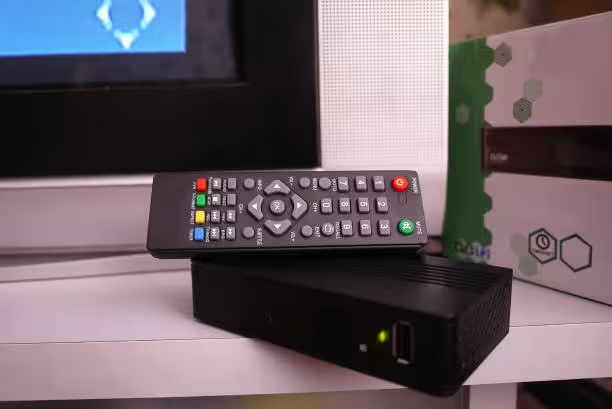
If the scan completes but storage errors persist, a format rebuilds the PVR partition from scratch. On the Explora the path is Settings → System Settings → Format Hard Drive, confirmed twice before it runs. Two warnings before you press confirm:
- Every recording is erased permanently. Export any copy-allowed content to USB first.
- Never format during load-shedding hours. A power cut mid-format leaves the partition table half-written — the exact corruption you were trying to repair, only worse.
After formatting, schedule a short test recording and play it back. Stutter on a freshly formatted drive means the platters themselves are degraded and replacement is the only fix.
The 48-Hour Rule: Software Corruption vs Physical Failure
Here is the simplest field test our technicians use: if a scanned or formatted drive throws the same error again within 48 hours, stop treating it as software. Recurring corruption on that timescale means the drive electronics or platters are failing, and every additional write cycle reduces what a recovery lab could still retrieve.
At that point the decision is economic. A drive swap plus labour often approaches half the cost of a new unit, so check the Explora vs HD decoder comparison before committing, and confirm what a visit costs in our DStv call-out fee guide. A correctly executed restart can also rule out one last software gremlin — follow how to reset a DStv decoder correctly rather than pulling the plug repeatedly.
Cape Town Conditions That Kill Drives Early
Drive manufacturers rate their hardware for clean, stable power and moderate temperatures — Cape Town offers neither. Load-shedding delivers dozens of uncontrolled shutdowns a month, summer cabinet temperatures exceed drive specs, and in coastal suburbs salt-laden air corrodes the drive’s exposed controller board over time.
Three habits extend drive life measurably: leave the decoder in standby rather than switching it off nightly, give it 10 cm of clear space above the vents, and put it behind a UPS. If your dish signal also misbehaves after outages, that is a separate fault path — see the DStv E48-32 error code guide. Households in Kenilworth, Kuils River and surrounds can compare repair pricing in the DStv installation cost guide before booking.

Related DStv Guides
Need a DStv pro in Cape Town?
- DStv installers near me — certified local technicians across Cape Town
- DStv technician near me — book a skilled tech today
- DStv repairs near me — fast signal and decoder fixes
- DStv dish installation prices — 2026 Cape Town price guide
- DStv contact number Cape Town — local installer and repair line
More Cape Town DStv guides
Use these related signal repair guides if you are comparing options, diagnosing a fault, or planning a booking.
- What to Check When Your DStv Smartcard Has an Error
- Why Does My DStv Show No Signal After Load Shedding?
- How to Fix No Signal on a Communal or Apartment Dish
- How to Fix DStv Audio Problems and Get Sound Back Fast
- Why Water Gets Into DStv Cables and Causes Signal Loss
- DStv installation cost in Cape Town
- DStv E48-32 signal error fixes
- where to mount a DStv dish
- DStv Explora vs HD decoder
- questions to ask a DStv installer
- DStv dish realignment and servicing
Frequently Asked Questions
What causes DStv hard drive failure in Cape Town?
Load-shedding is the dominant cause locally. When power is cut while the decoder is writing recording data, the hard drive’s file system is left in an inconsistent state. Repeated abrupt power-offs accumulate damage until the drive becomes unreadable. Secondary causes include overheating from poor ventilation, physical shock, and normal wear after several years of continuous use.
Can I replace a DStv Explora hard drive myself?
The Explora uses a standard 2.5-inch SATA hard drive and opening the unit is physically straightforward. However, the replacement drive must be formatted and initialised by the decoder’s firmware, and some models require a MultiChoice-side activation to recognise the new drive. Using a MultiChoice-accredited installer removes the risk of the decoder rejecting the replacement drive after installation.
Will I lose my recordings if the hard drive fails?
Yes — recordings stored on the failed drive are lost unless they can be recovered by a specialist data-recovery service. Copy-allowed recordings that were previously exported to USB are the only ones you will keep. This is why backing up important content to an external USB drive regularly is strongly recommended on any PVR decoder.
How long do DStv PVR hard drives typically last?
Under normal conditions, 2.5-inch SATA drives in DStv decoders last 3–5 years. In Cape Town, frequent load-shedding, summer heat, and coastal humidity reduce this significantly — many Explora drives fail within 2–3 years in heavily affected households. A UPS is the single most effective way to extend drive lifespan in load-shedding-prone areas.
What is the error code for a DStv hard drive failure on an Explora?
The most commonly reported storage error on Explora decoders is E18-4, which indicates the decoder cannot communicate with or initialise the internal PVR drive. Other variants appear as generic “PVR Storage Error” messages that persist after every reboot. If the error returns consistently after each restart, the drive itself — rather than a temporary software glitch — is the cause.
Can a bad power supply cause DStv hard drive failure?
Yes. A failing decoder power supply that delivers inconsistent voltage can damage the hard drive’s controller board over time. This is less common than load-shedding damage but does occur — particularly in older decoders (3–4 years) or units that have been through multiple power surges. If a newly installed hard drive fails within weeks, the power supply or mains voltage spikes are worth investigating before fitting another replacement.
What is the difference between DStv hard drive failure and a software PVR fault?
A software fault typically clears after a factory reset or a firmware update, and the decoder boots and operates normally afterward. A DStv hard drive failure produces errors that survive a factory reset, causes the decoder to hang on the boot screen, or produces audible clicking and grinding sounds. A technician can run a hard drive SMART diagnostic in about 15 minutes to confirm definitively whether the drive or the software is at fault.