
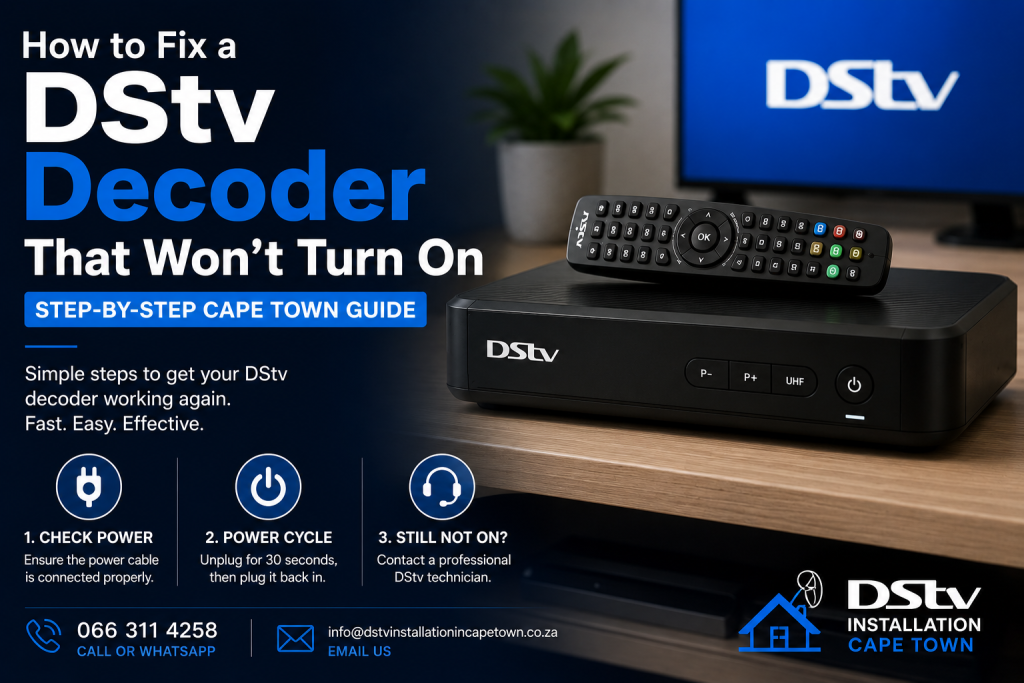
When your DStv decoder won’t turn on, the natural reaction is to assume the unit is dead — but in most cases the fault is something simple you can diagnose and fix in under ten minutes without any special tools. This guide walks Cape Town DStv subscribers through every likely cause, from a tripped wall socket to Eskom load-shedding surge damage, and tells you exactly when it is worth booking a repair versus buying a replacement.
Key Takeaways
- The most common reason a DStv decoder won’t power up is a faulty wall socket, tripped breaker, or dead surge protector — not the decoder itself.
- Load-shedding power surges are the single biggest cause of dead decoders in Cape Town.
- Always test the wall socket with another device before assuming the decoder has an internal fault.
- A hard reset (60-second unplug) resolves many apparent “dead decoder” situations caused by firmware freezes.
- MultiChoice service centres offer free diagnostics on decoders under the standard 24-month warranty.
- Out-of-warranty PSU repairs typically cost R450–R900, making repair worthwhile for Explora Ultra units.
Before You Start — Rule Out Load-Shedding and Tripped Breakers
Check the obvious first: is your area currently in a load-shedding stage? Pull up the City of Cape Town load-shedding schedule on your phone or check the EskomSePush app. If power is genuinely off, no troubleshooting steps will help — simply wait for restoration.
If the power is on, walk to your DB board and confirm no circuit breaker has tripped. A tripped breaker sits halfway between ON and OFF and needs a firm push to reset. Also check whether other appliances on the same wall socket or extension lead are working — if the kettle and TV both have power but the decoder does not, the fault is isolated to the decoder’s power path.
Why Your DStv Decoder Won’t Turn On — Common Causes at a Glance
A DStv decoder won’t turn on for a handful of well-understood reasons. Recognising the pattern of failure before you start touching cables saves time and reduces the risk of making things worse.
| What You See | Most Likely Cause | First Action |
|---|---|---|
| No lights, no sound, no fan — completely dead | No power reaching decoder (socket, cable, surge protector) | Test socket with a lamp; swap power cable |
| Front LED flashes once then goes off | Partial boot failure or overheating shutdown | Unplug 60 s; ensure 10 cm clearance around unit |
| Red standby light on but won’t boot with remote | Remote batteries flat or decoder firmware frozen | Replace batteries; press front panel power button |
| Green light but screen is black | Wrong TV input or faulty HDMI cable | Change TV source input; swap HDMI cable |
| Completely dead after a load-shedding event | Surge damage to internal power supply unit | Check for burn smell; call accredited technician |
| Clicking or burning smell inside chassis | Blown capacitor or fuse on main board | Do not plug in again — book a repair immediately |
Step-by-Step Troubleshooting When Your DStv Decoder Won’t Turn On
Run through this checklist in sequence. Each step is free and takes less than two minutes.
- Test the wall socket. Plug a phone charger or lamp into the same socket. If it does not work, reset your DB board circuit breaker or replace the wall socket fuse. This rules out the most common non-decoder fault immediately.
- Inspect the power cable. Run your fingers along the full length of the cable and check both ends for kinks, cuts, or scorch marks. A replacement DStv power cable costs R80–R150 at Makro, Game, or Takealot and is worth keeping as a spare.
- Bypass the surge protector or multi-plug. Plug the decoder directly into the wall. Surge protectors fail silently — after a large voltage spike they can stop passing power even though they look undamaged. If the decoder powers on directly from the wall, replace the surge protector.
- Perform a hard reset. Unplug the decoder from the wall socket — not just the front standby button — and leave it unplugged for a full 60 seconds. This clears any firmware hang and resets the internal power supply. Reconnect and try again.
- Try the front panel power button. If the remote has flat batteries or an internal fault, the decoder may be in standby but refusing to respond to remote commands. Press the physical power button on the decoder’s front fascia to confirm.
- Check for overheating. DStv Explora Ultra units will shut down automatically if internal temperature exceeds safe limits. Make sure the decoder is on an open shelf with at least 10 cm of clear space on all sides — not inside a sealed cabinet — and that the ventilation slots on the top and sides are not blocked.
- Check the HDMI connection and TV input. If the decoder’s front LED is green but the television screen is black, the decoder has booted successfully. The problem is between the decoder and the TV: swap the HDMI cable for a known-working one and confirm your TV is on the correct HDMI source using the TV remote.
Load-Shedding Surge Damage — The Cape Town Decoder Killer
South Africa’s ongoing load-shedding makes surge damage the leading cause of dead decoders across Cape Town. When Eskom restores power after a shedding cycle, the supply can spike 10–15 % above nominal voltage for a fraction of a second — enough to blow the decoder’s internal power supply capacitors. The unit appears completely dead: no LEDs, no fan noise, no warmth.
If your DStv decoder won’t turn on directly after a load-shedding restoration and you detect a faint burnt-plastic smell near the vents, do not plug it in again. A shorted capacitor can cascade into main board damage if the decoder is powered up in this state. Contact a MultiChoice-accredited Cape Town technician for a diagnostic — they can tell you within 30 minutes whether a PSU repair (R450–R700) makes financial sense or whether the unit needs replacing.
Protecting your decoder is straightforward. A quality surge protector rated at 1 000 joules or above — Ellies, Mecer, or APC units are widely available in Cape Town hardware stores for R200–R500 — absorbs most spikes. A UPS (Uninterruptible Power Supply, R800–R2 000) is even better: it keeps the decoder running through load-shedding and eliminates surge risk entirely. Subscribers in high-frequency shedding suburbs like Bellville, Brackenfell, and Kraaifontein are especially likely to see ROI on a quality UPS within the first year.
When to Repair, When to Replace
If the seven steps above have not revived the decoder, you have an internal hardware fault. The repair-vs-replace decision comes down to the decoder model and age. According to MultiChoice’s official decoder guide, decoders within their 24-month warranty period qualify for free diagnostics and repair at accredited service centres — bring your proof of purchase.
Out-of-warranty repairs average R450–R900 for a PSU replacement. This is cost-effective for an Explora Ultra (retailing at R5 000–R8 000 new) but questionable for an older HD Decoder that sells second-hand for R300–R500. A technician’s diagnostic gives you the information to make that call without guesswork.
Frequently Asked Questions About DStv Decoders Not Turning On
Why is there no light at all on my DStv decoder?
No lights whatsoever means zero power is reaching the decoder. Work through the socket test, cable inspection, and surge-protector bypass in steps 1–3 above before assuming the decoder has an internal fault. In the majority of “completely dead” callouts, the fault is an external power issue, not the decoder itself.
Can a DStv decoder be repaired after surge damage?
Yes, in most cases. The most common surge failure is a blown power supply board, which a qualified technician can replace for R450–R700. However, if the surge was severe enough to reach the main board or the Conditional Access Module (CAM), repair costs approach the price of a replacement unit — your technician will advise after the diagnostic.
My DStv decoder won’t turn on even after a 60-second reset — what next?
If a full hard reset does not help and you have confirmed an external power supply is delivering current to the decoder, the unit has an internal hardware fault. Book a diagnostic with a MultiChoice-accredited service centre. If the decoder is under 24 months old, bring proof of purchase and claim under warranty before agreeing to any paid repair.
How long should a DStv decoder last?
A well-maintained decoder in Cape Town typically lasts five to eight years. The main life-shortening factors are repeated load-shedding surges, overheating from poor ventilation, and coastal humidity affecting internal components. A quality UPS and an open, ventilated shelf location can add years to the decoder’s lifespan.
What is the difference between a red standby light and no light at all?
A red standby light means the decoder has power and is waiting to boot — try pressing the front panel power button and replacing the remote batteries, as the decoder itself is not dead. No light at all means the decoder is receiving no power: the fault is either in the external supply path (socket, cable, surge protector) or in the decoder’s internal power supply unit after a surge event.
Does the DStv warranty cover load-shedding damage?
No. MultiChoice’s 24-month manufacturer warranty covers production defects but explicitly excludes damage caused by power surges, voltage spikes, lightning, or incorrect installation. This exclusion is precisely why a surge protector or UPS is worth the upfront cost — without one, load-shedding repair bills fall entirely on the subscriber.
How do I factory reset a DStv Explora decoder?
Navigate to Menu → Advanced Options → General Settings → Reset to Factory Default and confirm. Note that a factory reset permanently erases all recordings, paired smartcards, and custom settings — use it as a last resort after all other troubleshooting steps have failed. A soft restart (front panel hold for 10 s) is safer and should be tried first.
Related DStv Guides
Need a DStv pro in Cape Town?
- DStv installers near me — certified local technicians across Cape Town
- DStv technician near me — book a skilled tech today
- DStv repairs near me — fast signal and decoder fixes
- DStv dish installation prices — 2026 Cape Town price guide
- DStv contact number Cape Town — local installer and repair line
More Cape Town DStv guides
Use these related signal repair guides if you are comparing options, diagnosing a fault, or planning a booking.
- What to Check When Your DStv Smartcard Has an Error
- Why Does My DStv Show No Signal After Load Shedding?
- How to Fix No Signal on a Communal or Apartment Dish
- How to Fix DStv Audio Problems and Get Sound Back Fast
- Why Water Gets Into DStv Cables and Causes Signal Loss
- DStv installation cost in Cape Town
- DStv E48-32 signal error fixes
- where to mount a DStv dish
- DStv Explora vs HD decoder
- questions to ask a DStv installer
- DStv dish realignment and servicing
Get Your DStv Decoder Working Again Quickly and Safely
A DStv decoder that won’t turn on can be frustrating, especially when it prevents you from enjoying your favourite channels, movies, and live sports. However, many decoder power issues can be resolved by checking the power supply, inspecting cables, performing a power reset, and ensuring all connections are working correctly. As a result, you may be able to restore your decoder without the need for costly repairs or replacements.
Furthermore, regular maintenance and professional installation can help prevent many common decoder problems before they occur. Therefore, if your DStv decoder remains unresponsive, displays power-related faults, or continues to experience startup issues, it may be time to have the system professionally diagnosed.
Ultimately, a properly functioning decoder is essential for uninterrupted entertainment and the best DStv viewing experience. For expert DStv decoder repairs, troubleshooting, installations, and technical support in Cape Town and surrounding areas, contact DStv Installation Cape Town on 066 311 4258 or email info@dstvinstallationincapetown.co.za. Our experienced technicians are ready to get your DStv service back up and running as quickly as possible.