
If you are weighing up a DStv Explora vs HD decoder for your home, you are really choosing between a full smart-PVR experience and a simpler, cheaper single-view box. Both pick up the same MultiChoice satellite feed, but they behave very differently day to day, and the right choice depends on how your household actually watches television in Cape Town.

Key Takeaways
- The Explora is a PVR: it records, pauses and rewinds live TV and connects to the internet for Catch Up and streaming, while the standard HD decoder does not.
- An HD decoder is the cheaper, simpler box — ideal for a second room or a holiday flat where you only need live channels.
- A DStv Explora vs HD decoder decision usually comes down to whether anyone in the house wants to record shows or watch on more than one TV.
- Both boxes need a correctly aligned dish and a Smart LNB to work reliably, so professional installation matters more than the box you pick.
- The newer DStv Explora Ultra adds built-in streaming apps that an HD decoder can never offer.
DStv Explora vs HD Decoder: The Core Differences
The Explora is MultiChoice’s flagship personal video recorder. It has an internal hard drive, so you can record up to two channels while watching a third, pause and rewind live television, and download box sets from Catch Up. When you compare a DStv Explora vs HD decoder on features alone, the Explora wins comfortably — but it also costs more and depends on a healthy internal drive that can eventually fail.
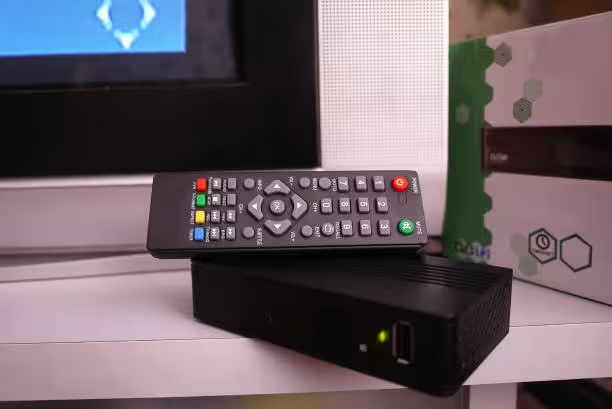
The HD decoder (the HD Zapper or Single View box) simply tunes live channels in crisp high definition. There is no recording, no pause, and no second-room viewing. For many Cape Town households that just want sport, news and a handful of series live, that is genuinely all they need.
Quick Comparison Table
| Feature | DStv Explora | HD Decoder |
|---|---|---|
| Record live TV | Yes (internal hard drive) | No |
| Pause & rewind live TV | Yes | No |
| Watch on a second TV (ExtraView) | Yes | No |
| Internet, Catch Up & streaming apps | Yes | No |
| Smart LNB required | Yes | Recommended |
| Best for | Main lounge / heavy viewers | Second room / light viewers |
Which One Is Right for Your Home?
Choose the Explora if you record sport, share one subscription across two TVs through ExtraView, or want Catch Up and streaming in one box. Choose the HD decoder if you want the lowest-cost route to live DStv, or you are adding a second screen to an existing Explora setup. If you are still unsure after weighing the DStv Explora vs HD decoder trade-offs, our team can recommend the right box based on your home and viewing habits — just request a quote and we will talk it through.
Whichever box you choose, MultiChoice’s official DStv website lists the latest decoder specifications and package pricing so you can confirm current details before you buy.
We install and configure both boxes across the city, from Claremont to Somerset West, and can migrate your recordings and settings when you upgrade.
DStv Decoder Models, Setup and Running Costs in Detail
Choosing between a DStv Explora vs HD decoder gets much easier once you see the full 2026 line-up. MultiChoice currently sells three families of satellite boxes in South Africa, and each suits a different kind of household. Below we unpack the models, the hardware they need on your roof, and what it takes to keep them alive through Cape Town’s load-shedding cycles.
Current DStv Decoder Models in South Africa (2026)
The entry point is the HD Single View decoder, often called the Zapper. It tunes live channels in crisp high definition and nothing more. Above it sits the standard DStv Explora family — the 2A and 3B — which add an internal hard drive good for roughly 110 hours of HD recordings, plus Catch Up downloads once the box is online.
At the top is the DStv Explora Ultra, which merges satellite and streaming in a single unit. Here is how the current models stack up:

| Model | Recording | Streaming apps | Wi-Fi | Best suited to |
|---|---|---|---|---|
| HD Single View (Zapper) | None | None | No | Light viewers, second rooms |
| Explora 2A / 3B | ±110 hours HD | Catch Up only | Via external connector | Recording-heavy households |
| Explora Ultra | Yes, with 4K-ready output | Netflix, Showmax, YouTube and more | Built in | Streaming-first families |
Retail stock moves around through the year, so confirm availability before committing to a specific model. Box prices and labour rates shift too — our DStv installation cost guide for Cape Town keeps typical decoder, dish and call-out figures up to date so you can budget the whole project, not just the box.
DStv Explora Ultra: Satellite and Streaming in One Box
The DStv Explora Ultra deserves special mention because it changes this comparison entirely. With built-in Wi-Fi, a voice-enabled remote and apps such as Netflix, Showmax and YouTube running directly on the box, it turns one HDMI port into a complete entertainment hub. No standard HD decoder can offer any of that, and even the older Explora models rely on Catch Up rather than true app streaming.
It is also the most demanding unit to set up properly. It wants a stable internet line of around 10 Mbps for smooth streaming and a correctly configured Smart LNB for its satellite tuners. If an app misbehaves after installation, our guide on activating or fixing Showmax on a DStv decoder walks through the usual culprits in minutes.
Installation Requirements: Dish, Smart LNB and Cabling
Every Explora — Ultra included — needs a Smart LNB on the dish to unlock all of its tuners through a single cable run. The current LMX501 and twin-output LMX502 units carry 30 user bands, which is why one Smart LNB can feed an Explora plus an ExtraView decoder at the same time. Our breakdown of the Smart LNB for the DStv Explora explains the model numbers in plain English.
The dish matters just as much as the box under the TV. An 80 cm dish is the safe choice given the Western Cape’s winter rain, and our DStv dish size guide for South Africa shows exactly when a smaller dish is acceptable. If your picture breaks up even on a good dish, the LNB itself may be ageing — these signs your DStv LNB needs replacing help you tell the difference before you spend money on the wrong part.
Power Surges, Load-Shedding and Protecting Your Investment
Cape Town rarely sees the violent summer thunderstorms that batter Gauteng, so direct lightning strikes are not the main threat to a decoder here. The real killer in the Western Cape is the voltage spike that follows load-shedding: when the power snaps back on, the surge can cook a power supply or corrupt an Explora’s hard drive mid-write.
A plug-in surge protector between the wall socket and the decoder is cheap insurance, and a small UPS lets a PVR shut down gracefully instead of dying mid-recording. We cover the full strategy in our guide to how lightning and power surges damage DStv equipment. Because every Explora carries a spinning hard drive, it is more vulnerable than a simple Zapper — and if yours is already misbehaving, see what to do when a DStv hard drive fails.
One Subscription, Two TVs: ExtraView Done Right
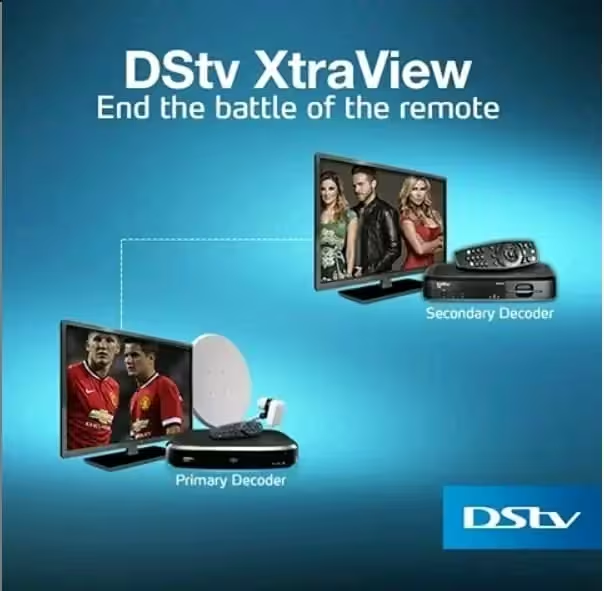
Many Cape Town homes pair an Explora in the lounge with a second decoder in the bedroom under one subscription. ExtraView links the boxes through the Smart LNB so you pay a single additional access fee rather than two full subscriptions — a meaningful saving over a year. The wiring order matters, though, and our DStv ExtraView setup guide shows the correct heartbeat cabling step by step.
We handle these multi-room installations daily across the northern and southern suburbs, including Milnerton and Durbanville, usually in a single visit. Mixing a new Explora with an existing HD decoder is also possible, provided the second box supports ExtraView pairing.
Related DStv Guides
- DStv PVR features and pricing
- DStv cables and connectors guide
- DStv LNB prices in South Africa
- DStv remote not working fixes
- how to reconnect DStv after disconnection
Need a DStv pro in Cape Town?
- DStv installers near me — certified local technicians across Cape Town
- DStv technician near me — book a skilled tech today
- DStv repairs near me — fast signal and decoder fixes
- DStv dish installation prices — 2026 Cape Town price guide
- DStv contact number Cape Town — local installer and repair line
More Cape Town DStv guides
Use these related decoder and hardware guides if you are comparing options, diagnosing a fault, or planning a booking.
- How to Know If Your DStv LNB Needs Replacing
- How to Activate or Fix Showmax on a DStv Decoder
- Smart LNB for DStv Explora: 5 Best Essential Facts
- DStv Dish Size: The Best Simple Guide for 2026 Signal
- How Lightning Damages DStv Equipment and Prevention Tips
- DStv installation cost in Cape Town
- DStv E48-32 signal error fixes
- where to mount a DStv dish
- questions to ask a DStv installer
- DStv dish realignment and servicing
- book a Cape Town DStv call-out
- DStv remote not working fixes
- how to reconnect DStv after disconnection
Frequently Asked Questions
Is the DStv Explora worth the extra money over an HD decoder?
If anyone in your home records shows, pauses live sport, or wants a second TV on the same subscription, the Explora pays for itself in convenience. For purely live viewing, the HD decoder is the smarter spend.
Can I use an HD decoder as a second box with my Explora?
Not as an ExtraView slave — ExtraView needs a second decoder that supports it. An HD decoder on its own subscription can run in another room, but it will not share the Explora’s recordings.
Does the HD decoder record anything at all?
No. The HD Zapper has no hard drive, so it cannot record, pause or rewind. Only PVR decoders such as the Explora can do that.
Do both decoders need a Smart LNB?
The Explora requires a Smart LNB to deliver its full feature set. An HD decoder will work on an older LNB but runs more reliably on a Smart LNB, which is why we fit one as standard.
Will my old dish work with a new Explora?
Usually yes, provided the dish is the correct size and properly aligned. The LNB on the dish often needs upgrading to a Smart LNB, which a technician can swap in minutes.
How much does it cost to install either decoder in Cape Town?
Installation pricing depends on cabling, dish work and whether an LNB upgrade is needed. You can see typical figures on our DStv installation cost guide or request a fixed quote.