
If the DStv E48-32 error code has just replaced your favourite channel with a grey screen, you are not alone — it is one of the most common signal faults across Cape Town. The good news: most causes are fixable without a technician, and the ones that aren’t are straightforward for a MultiChoice-accredited installer to sort out quickly.

Key Takeaways
- E48-32 means your decoder has completely lost its satellite signal — it is not a subscription problem.
- Start outdoors: check the dish and LNB before opening the decoder.
- Cape Town’s coastal winds and load shedding are the two most common local triggers.
- A loose or corroded F-connector is often the easiest fix and costs nothing.
- Repair costs typically range from R350 to R1,800 depending on the cause.
- If DIY steps fail, a MultiChoice-accredited technician can diagnose and fix the fault in one visit.
What the DStv E48-32 Error Code Actually Means
The E48-32 code tells you the decoder cannot receive any signal from the satellite at all. This is different from errors like E16-4 (subscription lapsed) or E143-4 (smartcard fault) — the DStv E48-32 error code is purely a physical signal path problem. Something between the satellite dish and your decoder has broken down.
MultiChoice’s own support documentation confirms this is a total satellite signal loss, not an account issue. You can verify your subscription status at any time on the official DStv error-code help page — but if your account is active, the fault lies in your hardware or dish alignment.
6 Things to Check Before Calling a Technician
Work through these in order. Each step narrows down the fault location before you spend money on a call-out.
- Reboot the decoder. Press and hold the power button on the front panel for ten seconds, then unplug the unit from the wall. Wait a full 60 seconds and power it back on. A decoder that locked up during a load-shedding event will often recover on its own after a clean reboot.
- Check the coaxial connector on the back of the decoder. The cable screws into an F-connector port. If it is only finger-tight, snug it up with a 7 mm spanner. Also look for green corrosion or visible moisture inside the connector — either means the connector should be replaced (under R50 at most hardware stores).
- Trace the cable run from decoder to dish. Walk the full length and look for kinks, staple-through damage, or sections that rodents have chewed. A single nick through the outer sheath can let moisture into the coax and kill the signal entirely — even if the cable looks mostly intact.
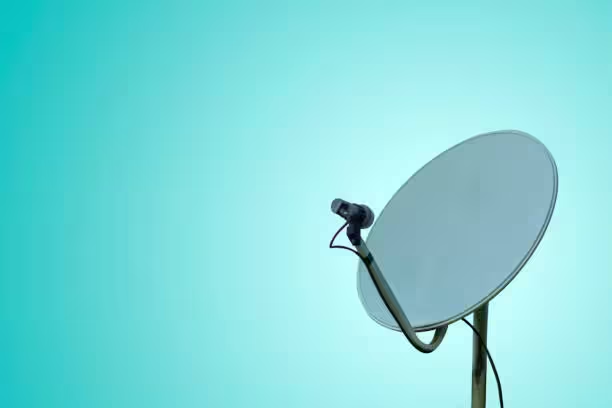
- Inspect the LNB at the dish. The LNB is the small horn-shaped unit at the end of the dish arm. After a strong south-easter the LNB can rotate in its bracket or the arm itself may have shifted. A visual inspection will usually reveal whether it has moved from its original position.
- Check for new obstructions. Trees grow, new boundary walls go up, and dishes get bumped during garden work. Stand behind the dish and sight along its face toward the north-east sky to confirm nothing has moved into the satellite’s line of sight.
- Test with a spare cable. If you have a spare coaxial cable, temporarily bypass the existing run between the dish and the decoder. If the signal returns immediately, the original cable is faulty — a repair that usually costs R350–R800 for materials and labour.
The Cape Town Factor: Why E48-32 Hits Here More Often
Customers across Bloubergstrand, Melkbosstrand and Strand report E48-32 faults more frequently than inland areas — and for good reason. The Cape Peninsula’s notorious south-easter routinely gusts above 80 km/h, strong enough to shift a dish by a fraction of a degree. That tiny movement is all it takes for the signal path to collapse completely.
Load shedding adds another layer of risk. Voltage spikes when the grid returns can damage an LNB’s internal circuitry, causing permanent signal loss that no amount of rebooting will fix. A quality surge protector between the wall outlet and your decoder (R150–R400 at most hardware stores) significantly reduces this risk.
Coastal salt air also accelerates corrosion on F-connectors and the LNB’s exposed contacts — especially within 2 km of the ocean. Installers working in West Beach and Sunset Beach routinely apply self-amalgamating tape to all outdoor connections as a weatherproofing measure. If your dish has never been re-sealed since installation, it is worth asking about during your next service.
What E48-32 Repairs Typically Cost in Cape Town
Here is a realistic price guide based on 2026 Cape Town installer rates, from the cheapest self-fix to the most involved repair:
| Fault | DIY Possible? | Typical Cost (ZAR) |
|---|---|---|
| Decoder reboot / connector re-tighten | Yes | R0 |
| Replace F-connectors (1–3 points) | Yes, with spanner | R50–R150 |
| Replace coaxial cable run | Not recommended | R350–R800 |
| Realign dish | Not recommended | R450–R900 |
| Replace LNB (parts + labour) | No | R400–R800 |
| Replace dish — storm damage | No | R900–R1,800 |
For a firm quote tailored to your situation, get in touch with Cape Handyman’s DStv team. Most faults are diagnosed and repaired in a single visit, and call-out fees are generally absorbed into the repair cost.
When to Stop DIY and Book an Accredited Installer
Three situations call for a professional rather than a ladder and a spanner:
- Dish realignment: Getting the precise azimuth and elevation for Cape Town’s satellite window requires a signal-strength meter, not guesswork. Misaligned dishes often show a weak signal that drops out during bad weather — worse than the original E48-32 fault.
- LNB replacement: The LNB must sit exactly at the dish’s focal point. An incorrectly positioned replacement will appear to work but will deliver poor quality or fail during rain fade.
- Multiple TVs affected: If every TV in the house shows E48-32 simultaneously, the fault is upstream of the decoders — the LNB, multiswitch, or main cable run. This is rarely a DIY fix.
Customers in Somerset West and Bellville can usually get a same-day or next-morning booking. For additional background on this error, including photos of common hardware failures, see our DStv E48-32 no-signal reference page.
Advanced E48-32 Checks Most Guides Skip
If the six basic steps above did not restore your picture, the next layer of diagnosis separates a 30-minute repair from a wasted afternoon. These checks use the decoder’s own menus and a few careful observations — no signal meter needed — and they tell an installer exactly where to start the moment they arrive.
How to Read the Signal Strength and Quality Menus
Every decoder keeps a live scorecard of the signal it is receiving, and learning to read it is the fastest way to confirm whether the E48-32 error reflects a total signal loss or a borderline one. Our companion guide on checking DStv signal strength and quality covers every model, but the short version is:
- On an Explora, press the blue DStv button, scroll to Settings, then open General Information followed by the signal screen for each tuner.
- On an HD single-view decoder, press Menu, choose Advanced Options, then Dish Installation and view the strength and quality bars.
- Note both readings for every tuner. Strength above 75% and quality above 60% is healthy; quality sitting at zero on all tuners while the dish is connected is the classic E48-32 signature.
- Wiggle-test the cable at the decoder while watching the bars. If the reading jumps when you touch the connector, the F-connector is the fault — not the dish.
Write the numbers down before and after each fix you attempt. A reading that improves but never reaches the healthy band points to partial cable damage or slight misalignment rather than a dead component.
LNB Failure or Dish Misalignment? Telling Them Apart
These two faults cause the majority of stubborn E48-32 cases in Cape Town, and they look identical from the couch. The difference shows in the signal screen. A wind-shifted dish usually leaves a trace of signal strength with poor quality, because the dish is still pointing near the satellite. A dead LNB — often killed by a post-load-shedding voltage spike — shows flat zero on every reading.
Two more clues help. If the fault began straight after a power cut, surge damage is likely; our guide to DStv no signal after load shedding explains why the restoration spike is more dangerous than the outage itself. If it began after a howling south-easter, alignment is the prime suspect — see why a DStv dish moves out of alignment in wind and the warning signs that an LNB needs replacing.
Communal and Apartment Systems: A Different Escalation Path
If you live in a block of flats or a sectional-title complex, do not climb onto the roof — the dish probably is not yours to touch. Communal SMATV systems feed many units through a shared head-end and multiswitch, and body-corporate rules usually prohibit residents from working on common-property equipment.
First, ask a neighbour whether their DStv is also down. If several units show the same error, log the fault with your managing agent so a single accredited technician can test the shared equipment. Our full walkthrough on fixing No Signal on a communal or apartment dish covers who pays, who to phone, and how the repair gets approved.
Winter-Proofing Your Installation Against Repeat E48-32 Faults
Cape Town’s winter cold fronts drive rain almost horizontally, and any unsealed outdoor join becomes a water entry point. Moisture inside the coax is one of the few faults that produces an E48-32 error which comes and goes with the weather — covered in detail in our guide to water in DStv cables and signal loss.
Ask your installer for three cheap preventions: a drip loop below every outdoor connector, self-amalgamating tape over each F-connector, and a surge protector at the wall. Persistent dropout in heavy rain that clears afterwards is a different fault — rain fade — and chasing it with hardware swaps wastes money.
If a repair is unavoidable, budget using our DStv signal repair cost guide, and for bigger jobs the full DStv installation cost in Cape Town breakdown keeps quotes honest. Residents in Milnerton and Durbanville can usually get a same-day slot in winter if they book before 10am.

When to Call a DStv Technician for E48 Signal Problems
If you have tried the resets and cable checks above and still see no signal on your DStv, the problem is likely hardware: a misaligned dish, a failing LNB, water damage in the cable, or a faulty decoder port. These need hands-on diagnosis with a signal meter.
DStv repairs near you in Cape Town — our technicians carry signal meters, spare LNBs, and cable to fix most E48 and signal-loss faults in a single visit. We cover all Cape Town suburbs and usually offer same-day service for signal emergencies.
Related signal guides:
- How to check DStv signal strength and quality
- DStv rain fade and signal loss in Cape Town
- Water in DStv cables causing signal loss
- DStv no signal after load shedding
- Signs your DStv LNB needs replacing
Related DStv Guides
- DStv signal problems guide
- DStv cables and connectors guide
- DStv LNB prices in South Africa
- DStv remote not working fixes
Need a DStv pro in Cape Town?
- DStv installers near me — certified local technicians across Cape Town
- DStv technician near me — book a skilled tech today
- DStv repairs near me — fast signal and decoder fixes
- DStv dish installation prices — 2026 Cape Town price guide
- DStv contact number Cape Town — local installer and repair line
More Cape Town DStv guides
Use these related signal repair guides if you are comparing options, diagnosing a fault, or planning a booking.
- What to Check When Your DStv Smartcard Has an Error
- Why Does My DStv Show No Signal After Load Shedding?
- How to Fix No Signal on a Communal or Apartment Dish
- How to Fix DStv Audio Problems and Get Sound Back Fast
- Why Water Gets Into DStv Cables and Causes Signal Loss
- DStv installation cost in Cape Town
- where to mount a DStv dish
- DStv Explora vs HD decoder
- questions to ask a DStv installer
- DStv dish realignment and servicing
- book a Cape Town DStv call-out
- DStv remote not working fixes
Frequently Asked Questions
Is E48-32 the same as a subscription error?
No. The DStv E48-32 error code means the decoder has lost its satellite signal entirely — it is a hardware or alignment fault. Subscription errors use different codes (E16-4 is the most common). Check your MyDStv app to confirm your account is active, but if it is, the cause is physical.
Can load shedding cause a permanent E48-32 fault?
Yes. When the grid is restored after an outage, the voltage surge can burn out the LNB’s internal circuitry. A decoder that showed a perfect signal before the outage and shows E48-32 every time after is a classic symptom of surge-damaged LNB hardware.
My dish looks perfectly fine from the ground — could it still be misaligned?
Absolutely. A dish can shift by less than one degree and appear completely normal from ground level while the signal path to the satellite is completely broken. After any strong wind event, alignment should be one of the first things an installer checks.
How long does an E48-32 repair usually take?
Connector replacement or dish realignment typically takes 30–60 minutes on site. LNB replacement or a full cable re-run may take up to 90 minutes depending on roof access and how the original cable was routed through the house.
Will I need a completely new dish?
Rarely. Most E48-32 faults are caused by the LNB, connectors, or cable — the dish reflector itself almost never needs replacing unless it has been physically bent or cracked in a storm. Even a mildly bent dish can sometimes be straightened rather than swapped out.
Does heavy rain cause E48-32, or is that a different error?
Rain fade causes temporary signal dropout but typically shows as a pixelating or freezing picture rather than a hard E48-32 code. If the E48-32 appears in clear weather and stays after the rain has passed, the cause is a hardware fault — not atmospheric. Rain may simply be exposing a weak signal caused by an underlying problem.
Can I realign the dish myself using a signal-strength app on my phone?
Smartphone compass apps can give you a rough azimuth bearing, but satellite alignment also requires a precise elevation angle and signal-quality confirmation at the decoder. Without a proper meter, you are likely to end up worse off. Cape Town’s optimal dish settings are specific enough that professional alignment pays for itself in reliability.
Related DStv Guides
- How to Fix No Signal on a Communal or Apartment Dish
- DStv Decoder Stuck on the Boot Screen? Why and How to Fix It
- DStv Hard Drive Failing or Showing an Error? What to Do Next
- What to Check When Your DStv Smartcard Has an Error
- DStv E143-4 Error Code: What It Means and How to Fix It
- Why Does My DStv Picture Keep Freezing or Pixelating?