
A strong and stable DStv signal is essential for enjoying uninterrupted entertainment, crystal-clear picture quality, and reliable access to your favorite channels. However, many DStv users across Cape Town and surrounding areas experience problems such as picture freezing, pixelation, missing channels, and frustrating E48-32 error messages without realizing that poor signal strength or signal quality is often the root cause. Therefore, understanding how to check your DStv signal levels is one of the most important steps in diagnosing and resolving signal-related issues.
Furthermore, signal strength and signal quality are not the same thing. While signal strength measures the power of the signal being received, signal quality indicates how accurately your decoder is receiving and processing that signal. As a result, you may have high signal strength but still experience viewing problems if the signal quality is low. Factors such as dish misalignment, damaged cables, faulty LNBs, bad weather, loose connectors, and aging equipment can all negatively affect your DStv signal performance.
In this guide, we will explain how to check DStv signal strength and quality using your decoder, what the signal readings mean, and how to identify common issues that may be affecting your reception. In addition, we will provide practical troubleshooting tips to help you improve signal levels and maintain optimal viewing performance throughout the year.
Whether you are located in Cape Town, Bellville, Durbanville, Brackenfell, Kraaifontein, Somerset West, Stellenbosch, Paarl, Milnerton, Table View, Parklands, or any surrounding area, regularly monitoring your DStv signal can help prevent service interruptions and costly repairs.
For expert assistance, contact DStv Installation Cape Town at 066 311 4258 or email info@dstvinstallationincapetown.co.za.
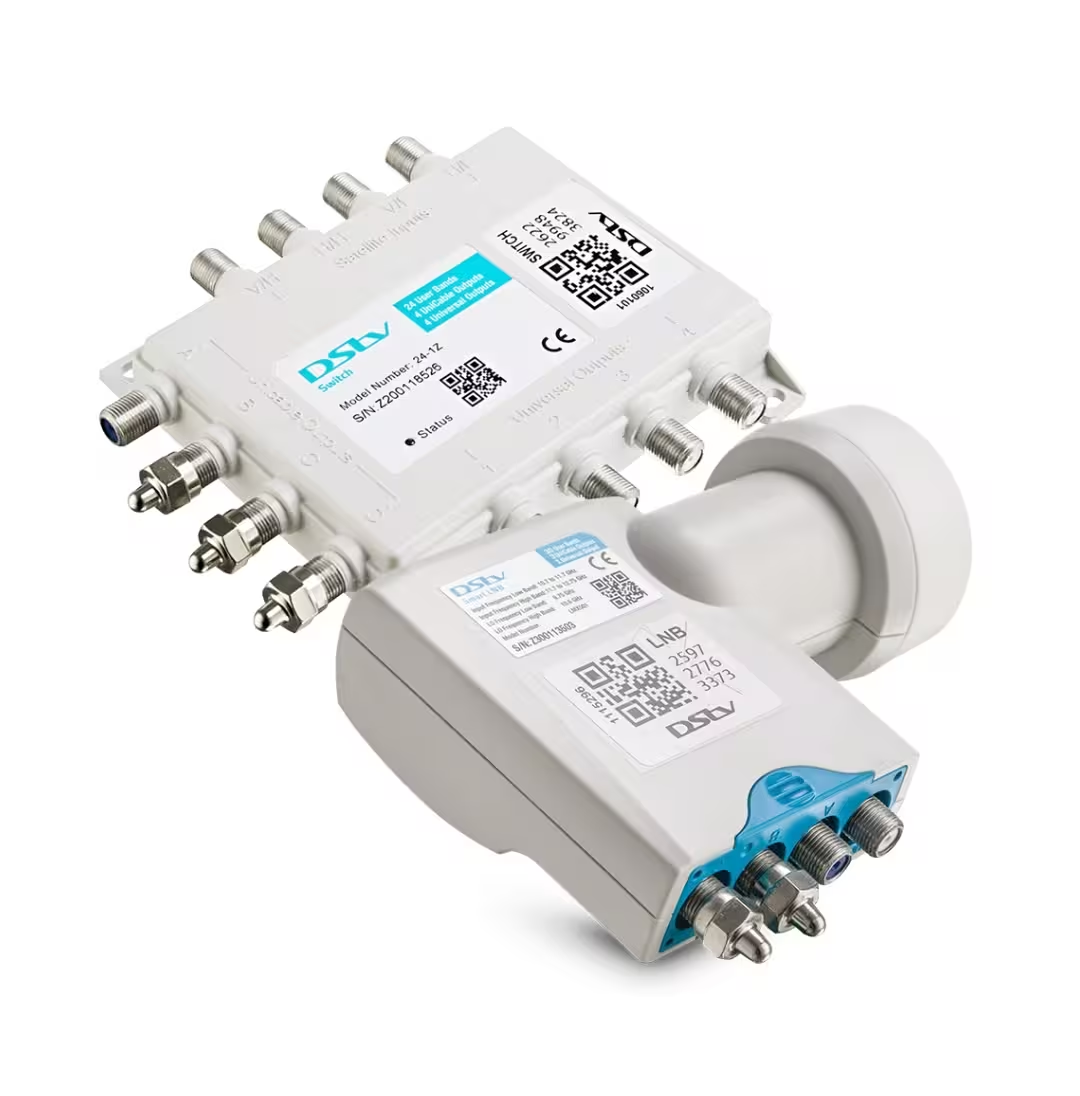
Maintain Strong DStv Signal Strength and Quality for Uninterrupted Viewing
Making DStv signal strength quality a focus can lead to a more consistent and enjoyable viewing experience.
Maintaining a high DStv signal strength quality ensures that your viewing experience remains enjoyable and free from interruptions.
DStv signal strength quality: quick answer
Make it a habit to regularly check your DStv signal strength quality to ensure everything is running smoothly.
Understanding DStv signal strength quality is crucial for all users to enjoy seamless entertainment. Regular checks can significantly enhance the quality of your viewing experience.
By prioritizing DStv signal strength quality, you can reduce frustration and ensure that your favorite shows are always available without interruption.
The quick answer is to start with the least risky checks first. Restart the decoder, confirm cables and account basics, and then test signal quality if the same issue returns. If the installation is weak, menu changes and resets will not fix the root cause.
For those in the hospitality industry, DStv signal strength quality is paramount to ensure guest satisfaction.
Key Takeaways
- Use decoder resets carefully; they do not repair weak signals or damaged cables.
- Signal quality is the key reading when channels freeze or disappear.
- Guesthouse and Airbnb setups need clearer planning than a normal home lounge.
- Smartcard and account messages can overlap with installation faults.
- Keep final setup notes so future repairs are faster and cheaper.
Don’t let poor DStv signal strength quality ruin your viewing pleasure; take the necessary steps today.
Monitoring DStv signal strength quality can provide insights into potential issues before they escalate to major problems.
Why this decoder signal testing issue happens
DStv systems depend on the decoder, account status, dish alignment, LNB, cabling, and correct setup. A fault in any one area can create a message that looks like a decoder problem. The best approach is to isolate the simplest causes first, then test the physical installation if the issue remains.
For those struggling with their DStv signal strength quality, it is essential to take immediate action to rectify these problems.
For account and decoder guidance, the official DStv help center is the best starting point. For dish alignment, LNB, cabling, and multi-room setup, a local installer should test the signal path on site.
Best checks before calling for help
- Write down the exact error or symptom before restarting anything.
- Check that all cables are seated firmly and the TV input is correct.
- Restart the decoder once and wait for it to fully load.
- Check whether all channels are affected or only certain channels.
- Look at signal strength and signal quality readings if the decoder menu allows it.
- Avoid a factory reset unless you know the installation settings can be restored.
- Book a technician if the same problem returns after the basic checks.
Comparison table
| Situation | What it may mean | Best next step |
|---|---|---|
| High strength, low quality | The dish or LNB may be off | Realign and test with meter |
| Both readings low | Cable, LNB, or dish issue | Inspect full signal path |
| Readings jump up and down | Loose join or dish movement | Check connectors and brackets. |
| Only some channels fail | Band or LNB issue possible | Test LNB outputs |
When a professional installer helps
The importance of DStv signal strength quality cannot be overstated; it impacts everything from viewing clarity to channel availability.
Regular maintenance can help preserve your DStv signal strength quality, ensuring you enjoy television without interruptions.
A professional installer helps when the problem touches the physical installation: dish alignment, LNB type, damaged cable, water ingress, or multi-room distribution. For guesthouses and Airbnbs, the installer should also think about future support, guest instructions, and neat cable routing.
We help customers in areas such as DStv installation in Claremont, DStv installation in Stellenbosch, and DStv installation in Bloubergstrand book a Cape Town DStv installer. When you contact us, include the decoder model, property type, suburb, and whether this is a single TV, multi-room home, Airbnb, B&B, or guesthouse setup.
Common mistakes to avoid
- Do not factory reset repeatedly when the dish signal is weak.
- Do not ignore account or subscription messages if the decoder clearly shows one.
- Do not use loose splitters or poor cable joins for multi-room setups.
- Do not leave guesthouse TVs without simple instructions for guests.
- Do not guess at signal readings; test them properly before replacing parts.
Addressing DStv signal strength quality issues swiftly can save you time and hassle in resolving further complications.
Practical Cape Town advice
In Cape Town, wind, rain, and long cable routes can turn a small installation weakness into a repeated decoder problem. If you keep seeing the same message, look beyond the decoder and ask for a proper signal-quality reading at the end of the job.
DStv signal strength quality should be handled step by step. A careful restart or smart card check is fine, but repeated errors need a proper diagnosis so the fix lasts through weather, load shedding, and normal day-to-day use.
FAQ
Can I fix this without an installer?
Sometimes. If it is a loose cable, simple restart, card seating issue, or account message, you may resolve it yourself. If signal quality is unstable, call a technician.
Don’t underestimate the role of DStv signal strength quality in your overall entertainment satisfaction.
Will resetting the decoder fix signal problems?
No. A reset can clear a temporary decoder issue, but it will not realign a dish, repair damaged cable, or replace a failing LNB.
What signal reading should I care about most?
Given the critical nature of DStv signal strength quality, prompt attention to issues can prevent larger problems.
Signal quality is usually more important than signal strength. A high-strength reading with low quality can still cause freezing, missing channels, and setup errors.
Proper attention to DStv signal strength quality can make all the difference in how you enjoy your favorite shows and channels.
Acknowledging the importance of DStv signal strength quality will enhance your viewing habits.
Small adjustments can significantly improve DStv signal strength quality, leading to a more enjoyable experience.
Improving your DStv signal strength quality is as simple as following a few essential checks and adjustments.
Is this different for guesthouses or Airbnbs?
Yes. Guest properties need reliable viewing, neat cabling, clear room labels, and easy support steps because guests may not understand the decoder setup.
Should I contact DStv or an installer first?
Contact DStv for account, subscription, and pairing issues. Contact an installer for dish, cable, LNB, signal, and multi-room installation problems.
By keeping an eye on your DStv signal strength quality, you’ll catch issues early and avoid frustration down the line.
Can a smart card error be caused by a signal?
Some card messages are account or pairing related, but confusing decoder behavior can also happen alongside a weak signal. Check both before replacing equipment.
What should I tell the technician?
Give the exact error, decoder model, suburb, property type, number of TVs, and whether the issue started after weather, moving equipment, or changing accounts.
DStv Signal Problems? Get Help in Cape Town
If you are experiencing DStv signal problems, no signal errors, or intermittent signal loss, a local technician can diagnose and fix the issue quickly. Common causes include dish misalignment, LNB failure, cable water damage, and storm interference.
Ensure that your DStv signal strength quality is optimal for the best viewing experience possible.
Book a DStv signal repair near you or call a DStv technician near you in Cape Town for same-day service.
Related DStv Guides
Understanding DStv signal strength quality can help troubleshoot and fix common issues before they disrupt your viewing experience.
Ultimately, ensuring optimal DStv signal strength quality can lead to a better viewing experience overall.
- DStv signal problems guide
- DStv cables and connectors guide
- DStv dish brackets and mounting options
- DStv remote not working fixes
Need a DStv pro in Cape Town?
- DStv installers near me — certified local technicians across Cape Town
- DStv technician near me — book a skilled tech today
- DStv repairs near me — fast signal and decoder fixes
- DStv dish installation prices — 2026 Cape Town price guide
- DStv contact number Cape Town—local installer and repair line
More Cape Town DStv guides
Use these related installation setup guides if you are comparing options, diagnosing a fault, or planning a booking.
- Do You Need a Decoder to Use DStv Streaming?
- DStv ExtraView Setup: The Best Simple 2026 Guide
- How to Reset or Restart a DStv Decoder Correctly
- How Long Does a Standard DStv Installation Take?
- How to Run the DStv Installation Wizard on Your TV
- DStv installation cost in Cape Town
- DStv E48-32 signal error fixes
- where to mount a DStv dish
- DStv Explora vs HD decoder
- questions to ask a DStv installer
- DStv dish realignment and servicing
- DStv remote not working fixes
Therefore, if your signal readings are lower than recommended or you continue to experience reception problems, it is important to have your system professionally inspected and repaired. Taking action early can improve signal stability, extend the lifespan of your equipment, and reduce the risk of costly future repairs.
If you need professional DStv signal testing, fault finding, dish alignment, or signal repair services, contact DStv Installation Cape Town today. Our experienced technicians provide fast and reliable assistance throughout Cape Town and surrounding areas. Call 066 311 4258 or email info@dstvinstallationincapetown.co.za to book your service and restore your DStv signal to peak performance.
If you’re unsure about your DStv signal strength quality, consider seeking professional help to ensure everything is functioning as it should.
The guidelines provided can help you maintain a high DStv signal strength quality, ensuring fewer interruptions.
As a viewer, prioritizing DStv signal strength quality will ensure a seamless entertainment experience.
Enhancing DStv signal strength quality is essential for a fulfilling television experience.