
A Smart LNB for DStv Explora is not optional — it is the part that lets a single cable carry every channel your Explora needs, including the second tuner that powers recording and ExtraView. If you have an Explora or are upgrading to one, understanding the Smart LNB will save you a frustrating “limited signal” message and an unnecessary call-out.
Key Takeaways
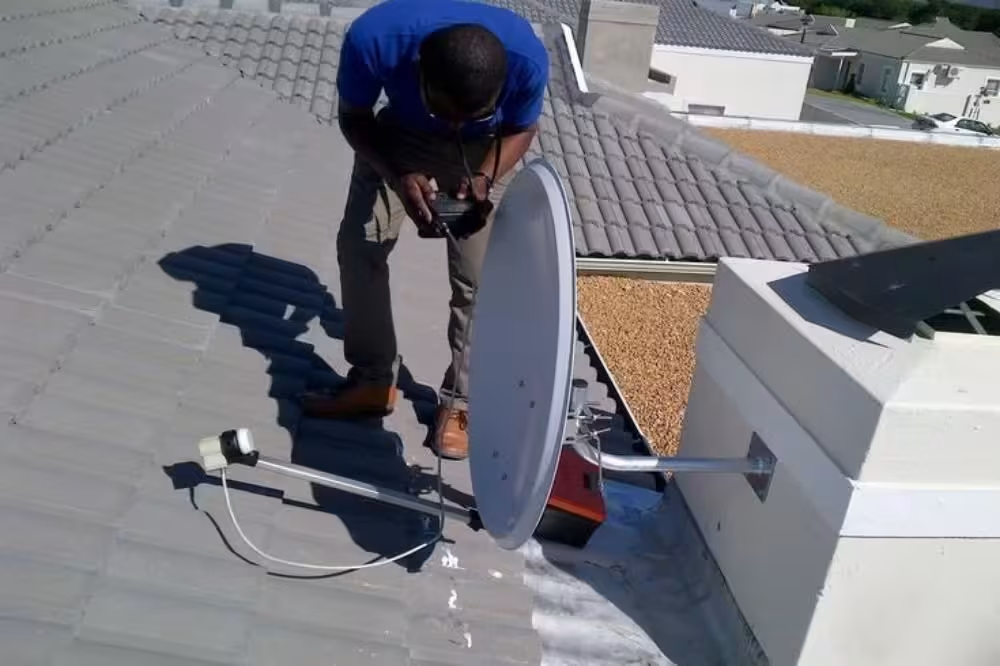
- The Smart LNB sits on the arm of your dish and replaces the older Single or Twin LNB used by legacy decoders.
- A Smart LNB for DStv Explora is required because the Explora uses unicable technology to send all frequencies down one coax cable.
- It feeds the Explora’s dual tuners, so you can record one channel while watching another from a single cable run.
- A faulty Smart LNB causes intermittent signal loss, “no signal” errors and failed recordings — symptoms people often blame on the decoder.
- Swapping a Smart LNB is a quick technician job and far cheaper than replacing a decoder.
What a Smart LNB for DStv Explora Actually Does
LNB stands for Low-Noise Block downconverter — the small device on the dish arm that catches the satellite signal and converts it so your decoder can use it. Older decoders used a Twin LNB with two separate cables. The Explora instead uses a Smart LNB, which combines everything onto a single cable using unicable, so each tuner inside the Explora can request the frequency it needs without extra wiring.
This is why a Smart LNB for DStv Explora is mandatory: without it, the Explora’s second tuner has no way to receive its channel, and you lose recording-while-watching and ExtraView entirely.
Smart LNB vs Older LNBs
| LNB Type | Cables Needed | Works With Explora? |
|---|---|---|
| Single LNB | 1 | No (no dual-tuner support) |
| Twin LNB | 2 | Only via legacy wiring, not recommended |
| Smart LNB (unicable) | 1 | Yes — required |
Signs Your Smart LNB Needs Replacing
Because the LNB sits outside in the weather, it degrades over time. Watch for picture that pixelates in clear conditions, recordings that fail with a tuner error, or a “no signal” message that comes and goes. These often point to a failing Smart LNB rather than the decoder itself. You can confirm current Explora and LNB requirements on the official DStv website, but a quick on-site signal test is the surest way to diagnose it.
If your Explora is showing these symptoms, we can test and replace the Smart LNB on the same visit — request a quote and we will get you sorted. We carry Smart LNBs as standard stock for jobs across Rondebosch, Milnerton and the wider metro.
What a Smart LNB Replacement Involves
Swapping a Smart LNB is quick but precise: the technician loosens the LNB from the dish arm, fits the matched replacement, then re-peaks the signal so the Explora reads full strength on both tuners. We test live recording and channel switching before leaving, because a Smart LNB that looks fine can still under-feed the second tuner if it is not aligned exactly. Doing it properly the first time is what prevents the intermittent faults from creeping back a few weeks later.
Smart LNB Price in South Africa (2026)
A Smart LNB typically costs between R350 and R600 at retail, depending on the model and supplier. If you buy it as part of a full DStv dish installation package, the cost is usually bundled into the total price. Here is a rough guide to current DStv LNB prices:
- Standard single LNB — R80–R150 (for older single-view setups only)
- Smart LNB (required for Explora) — R350–R600
- Quad LNB (for non-Explora multi-room) — R200–R350
The price for an LNB replacement by a DStv technician near you includes the part plus labour and signal optimisation. Always get a quote that includes both — a cheap LNB fitted badly will cause signal faults within weeks.
Smart LNB vs Standard LNB — Which Do You Need?
If you have a DStv Explora, you need a Smart LNB — there is no workaround. A standard single or twin LNB will not feed enough signal data for the Explora’s dual tuner, recording, and ExtraView features. If you still run an older HD decoder on a single TV, a standard LNB works fine. But if you plan to upgrade to Explora in the future, fitting a Smart LNB now saves you a second technician visit later.
Related DStv Guides
- DStv LNB prices in South Africa
- DStv cables and connectors guide
- DStv signal problems guide
- DStv satellite dish prices
Need a DStv pro in Cape Town?
- DStv installers near me — certified local technicians across Cape Town
- DStv technician near me — book a skilled tech today
- DStv repairs near me — fast signal and decoder fixes
- DStv dish installation prices — 2026 Cape Town price guide
- DStv contact number Cape Town — local installer and repair line
More Cape Town DStv guides
Use these related decoder and hardware guides if you are comparing options, diagnosing a fault, or planning a booking.
- How to Know If Your DStv LNB Needs Replacing
- How to Activate or Fix Showmax on a DStv Decoder
- DStv Dish Size: The Best Simple Guide for 2026 Signal
- DStv Explora vs HD Decoder: The Best Simple 2026 Guide
- How Lightning Damages DStv Equipment and Prevention Tips
- DStv installation cost in Cape Town
- DStv E48-32 signal error fixes
- where to mount a DStv dish
- questions to ask a DStv installer
- DStv dish realignment and servicing
- book a Cape Town DStv call-out
- DStv satellite dish prices
Frequently Asked Questions
Do I really need a Smart LNB for my DStv Explora?
Yes. The Explora’s dual-tuner, single-cable design depends on a Smart LNB. Without one, recording-while-watching and ExtraView will not work.
Can I use my old Twin LNB with an Explora?
It is not recommended. Legacy wiring can sometimes coax basic viewing, but you lose the Explora’s core features and reliability. A Smart LNB is the correct fit.
How long does a Smart LNB last?
A good Smart LNB lasts several years, but sun, salt air and rain shorten its life in coastal areas. Replacement is a fast, low-cost job when it fails.
How do I know if my LNB or my decoder is faulty?
Intermittent signal across all channels usually points to the LNB or cabling, while a decoder fault tends to affect the box’s menus and booting. A technician’s signal meter settles it quickly.
Will replacing the Smart LNB fix my recording errors?
Often yes, if the errors are tuner- or signal-related. A failing LNB starves the second tuner, which is a common cause of failed Explora recordings.
Can one Smart LNB feed two decoders?
A Smart LNB supports multiple tuners over unicable, which is how ExtraView shares one dish between an Explora and a second decoder. The exact capacity depends on the model fitted.